
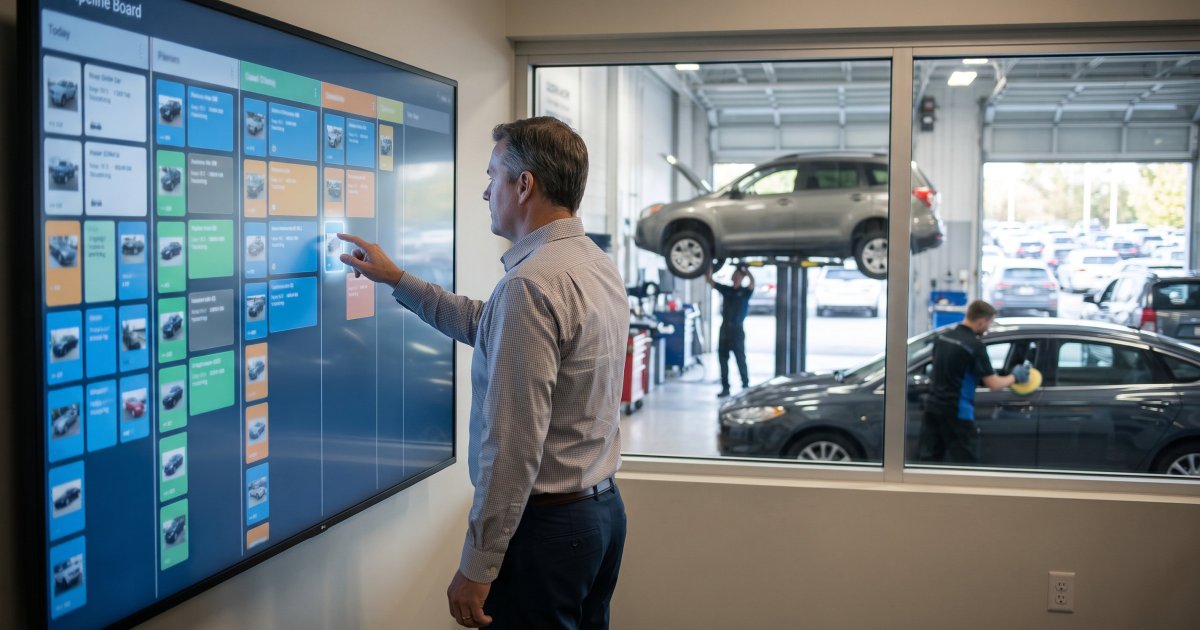
Reconditioning management software is a dedicated platform that runs the work between buying a used vehicle and putting it on the frontline: inspection, repair approvals, mechanical, body, cosmetic vendors, detail, photos, pricing, and any other step in a dealer's workflow. Instead of tracking cars on a whiteboard or spreadsheet, the software puts every vehicle on a live recon board, assigns each step to a person or vendor, moves the car forward automatically when a step is done, and measures how long every stage takes. It sits alongside your DMS and inventory system rather than replacing them, pulling vehicles in from your feeds so nobody re-types a VIN.
That is the short version. Below is what the category actually does, how it differs from the systems you already own, and how to tell whether your store needs it.
What does reconditioning management software actually do?
Every platform in the category is built around one idea: a used car only makes money once it is frontline ready, and most of the days before that are spent waiting, not being worked on. The software attacks the waiting. In practice that means five jobs:
- Organization. One system holds the work: statuses, locations, tasks, and documents, instead of whiteboards, spreadsheets, and memory.
- Accountability. Every car is visible, every stage has an owner, and the clock is always running. When a unit sits too long, someone is named and notified, so the wait never belongs to nobody.
- Communication. Updates, comments, photos, and approvals live on the vehicle record instead of in texts and group chats, so the next person already has what they need. A manager can approve a $420 brake job from the dashboard and see what has already been spent on the unit.
- Movement. When one step finishes, the next one starts: the next owner is assigned and notified without anyone making a phone call.
- Measurement. Time in Transit, Time in Recon, Time to Frontline, and Time to Sale, per vehicle, per stage, and per vendor.
A tool that shows you cars without owners and clocks is a status board. Status boards tell you where a car is. Recon platforms move it. We covered how to test for that difference in what features to look for in reconditioning software.
To be clear, the software itself does not guarantee a faster time to frontline. It cannot do any of the actual work on its own; no platform has ever turned a wrench or buffed a panel. But when the communication, visibility, and movement all live in one system, cars stop sitting between steps while everyone assumes someone else has them. A faster time to frontline is the byproduct.
How is it different from a DMS or inventory management system?
Your DMS runs the deal, the accounting, and the service RO. Your inventory management system prices and merchandises the car. Both know a vehicle exists; neither is built to manage the dozen handoffs between the trade-in lane and the frontline. That is the gap dedicated recon software fills.
| General DMS / inventory suite | Dedicated recon platform | |
|---|---|---|
| Main job | Deals, accounting, service ROs, pricing, listings | Moving each vehicle through recon to frontline ready |
| Recon stages | A status field or a fixed module | Your own steps, in your order, with an owner per step |
| Outside vendors | Usually no access | Vendor logins limited to their own assigned work |
| Handoffs | Manual: someone updates the status | Automatic: finishing a step assigns and notifies the next |
| Reporting | Days in stock, overall aging | Dwell time per stage, per vendor, per person |
| Phone and lot use | Mostly desk-based | Built for techs, porters, and vendors on a phone |
The trade-off is one more system to run. That is why integrations matter: a recon platform should pull vehicles in from your DMS or IMS automatically and push status and data back out, so it adds control without adding data entry.
What is a recon board, and why do most platforms use a Kanban layout?
A recon board is a visual pipeline: one column per stage (incoming, checked in, mechanical, body, detail, photos, frontline ready) and one card per vehicle. It is the Kanban method applied to a used-car department, and it works for the same reason Kanban works anywhere: you can see where work is piling up at a glance.
In Cartuul, the Interactive Recon Board shows every car in every status on one page. You drag a vehicle to update its status, open it to review unit details, and see the columns where cars are stacking up. The stages are yours: unlimited custom steps in any order, separate workflows where you need them, and per-vehicle overrides for the wholesale unit that skips half your retail process.
What to check: whether the board is fixed or built to your process. If you have to rename your stages to fit the software, the software will lose.
How do VIN scanning, checklists, and GPS keep inventory data accurate?
Most recon data errors start on the lot: the wrong stock number typed into a spreadsheet, an inspection done on paper and never entered, a car that is "in detail" but actually parked behind the body shop. Three features close those gaps.
- VIN scanning. Cartuul's built-in scanner reads VIN barcodes, QR codes, and even printed text, so a tech or porter pulls up the right vehicle from anywhere on the lot or at a vendor, without typing.
- Custom checklists. Multi-point inspection checklists built for each role, from lot tech to master technician to recon manager. Findings and photos are documented on the vehicle record, and flagged items become tasks with an owner.
- GPS vehicle location. Mark and track where every car physically is, on your lot, at a sublet vendor, or in transit. A car nobody can find is a car nobody is working on, and large or split lots lose hours to lot walks every week.
Together they turn "where is the Camry?" from a radio call into a lookup.
How does it connect to your existing inventory systems?
Through feeds and integrations. A new unit lands in your DMS or IMS, the feed brings it into the recon platform with its VIN and details, and your workflow starts. As the car moves, status and data flow back out, so the sales floor, service, and the merchandising team all look at the same vehicle record instead of three versions of it.
Cartuul connects with 35+ platforms across the dealer tech stack, including DMS providers such as Tekion, Dealertrack, PBS, Frazer, and DealerCenter; inventory and merchandising tools such as vAuto and HomeNet; CRM, key box (KEYper), inspection and diagnostics (UVEYE, VINTEL, AppraisalPRO), parts (PartsTech), and photo platforms (Dealer Image Pro, Glo3D). The full list is on the integrations page.
What to check: ask which of your specific systems connect today, not on the roadmap, and when their most recent integration shipped. A list that has not grown in two years tells you something.
How does vendor coordination work?
Outside vendors (PDR, glass, detail, upholstery, sublet mechanical) are where a lot of recon time disappears, because their work happens outside your building and usually outside your systems. A vendor portal fixes that. Each vendor logs in and sees only the jobs assigned to them, with the VIN, location, photos, and comments attached, and updates status themselves. You see every vendor's open work and how long each one holds cars, so vendor performance becomes a number instead of a feeling.
In Cartuul the External Vendor Portal is part of the Pro plan, along with the parts module, sold archives, unlimited SMS notifications, and AI tools.
Is reconditioning software worth it for a smaller store?
Usually yes, and for a simple reason: holding cost does not care how big you are. Industry estimates put the daily cost of a used unit in recon somewhere between $40 and $85 once you add floorplan, depreciation, and lot costs. A store moving 40 or 50 cars a month that cuts two days off its average recon time recovers thousands of dollars a month, and the software pays for itself on the first few units.
The other reason is the team itself. A smaller store means fewer people wearing more hats, and the manager approving repairs is often the same person chasing vendors and scheduling photos. A recon system holds all of that work in one place, so a small team can manage it without everything living in one person's head.
Smaller stores mainly need the workflow engine, VIN scanning, vehicle tracking, and internal task accountability without a long implementation. Cartuul Lite covers that for $400 a month with no setup fee, one DMS or IMS feed included, and a go-live in about 24 hours. Pro adds the outside-vendor tools and is aimed at stores carrying 80+ units in inventory. Billing is month-to-month after an initial three-month period. Full details are on the pricing page.
How to choose a platform
Write down your real recon steps, your vendors, and your three biggest bottlenecks before the first demo. Then make every vendor build your process live, dispatch a job to an outside vendor, and show you which stage held cars longest last month. We compared the main platforms side by side, including Rapid Recon, iRecon, Carketa, and Cartuul, in our reconditioning software roundup.
Frequently asked questions
What is the difference between recon software and a DMS?
A DMS manages deals, accounting, and service repair orders. Recon software manages the steps a used vehicle goes through between acquisition and frontline ready, with an owner, a time budget, and a handoff for each step. Most dealers run both, connected by an integration.
Does reconditioning software integrate with inventory management systems?
Good platforms do. Cartuul imports vehicles from DMS and IMS feeds and connects with 35+ systems, including vAuto, HomeNet, Dealertrack, and Tekion.
Can outside vendors use the software?
Yes, through a vendor portal. Vendors see only their assigned jobs and update them directly. In Cartuul this is included in the Pro plan.
How long does it take to get started?
Cartuul Lite can be live in about 24 hours. Pro includes a full workflow audit and setup, and most Pro customers are fully operational within two to three days.
How much does reconditioning management software cost?
Pricing varies by vendor and is often quote-based. Cartuul publishes flat rates: Lite at $400 per month, Pro at $800 per month plus a one-time $1,500 setup, and custom pricing for multi-rooftop Enterprise groups.
Want to see your own process on a recon board? Book a Cartuul demo and bring your hardest workflow.